
Install Qualflare CLI - macOS, Linux, Windows
Install the Qualflare CLI (qf) on macOS, Linux, or Windows. Step-by-step guide for Homebrew and binary download installation methods.
Installation
Install qf, the Qualflare CLI tool, on your preferred platform. The CLI is available for macOS, Linux, and Windows across amd64 and arm64 architectures.
AI Command
Paste this prompt into your AI coding agent to install qf automatically:
Install the Qualflare CLI (`qf`) on my machine.

1. Detect my operating system (macOS, Linux, or Windows) and CPU architecture
   (amd64 or arm64).
2. If Homebrew is available (macOS/Linux), run: brew install qualflare/tap/qf
3. Otherwise, open https://github.com/qualflare/qualflare-cli/releases/latest,
   download the asset matching my OS and architecture
   (qf_<version>_<os>_<arch>.tar.gz, or .zip on Windows), extract it, and move
   the `qf` binary into a directory on my PATH.
4. Run `qf version` to confirm the install succeeded.
Homebrew (macOS/Linux)
The easiest way to install qf on macOS or Linux is via Homebrew:
brew install qualflare/tap/qfTo upgrade:
brew upgrade qualflare/tap/qfnpm
If you already have Node.js installed, qf is available as an npm package. It ships no postinstall script — installing pulls down the correct platform-native binary via optionalDependencies:
npm install -g @qualflare/cliDocker
Multi-arch images are published to both GitHub Container Registry and Docker Hub:
docker run --rm ghcr.io/qualflare/qf version
# or
docker run --rm qualflare/qf:0.1.13 version
Mount your test results directory to collect from inside a container:
docker run --rm -v "$(pwd)":/data -w /data ghcr.io/qualflare/qf myapp collect results.xmlBinary Download
Download the precompiled binary from the GitHub releases page. Replace VERSION in the commands below with the version shown on that page (e.g. 0.1.13).
macOS
# For Apple Silicon (M1/M2/M3)
VERSION=0.1.13
curl -L "https://github.com/qualflare/qualflare-cli/releases/download/v${VERSION}/qf_${VERSION}_darwin_arm64.tar.gz" -o qf.tar.gz
tar -xzf qf.tar.gz
sudo mv qf /usr/local/bin/

# For Intel
VERSION=0.1.13
curl -L "https://github.com/qualflare/qualflare-cli/releases/download/v${VERSION}/qf_${VERSION}_darwin_amd64.tar.gz" -o qf.tar.gz
tar -xzf qf.tar.gz
sudo mv qf /usr/local/bin/
Linux
# For AMD64
VERSION=0.1.13
curl -L "https://github.com/qualflare/qualflare-cli/releases/download/v${VERSION}/qf_${VERSION}_linux_amd64.tar.gz" -o qf.tar.gz
tar -xzf qf.tar.gz
sudo mv qf /usr/local/bin/

# For ARM64
VERSION=0.1.13
curl -L "https://github.com/qualflare/qualflare-cli/releases/download/v${VERSION}/qf_${VERSION}_linux_arm64.tar.gz" -o qf.tar.gz
tar -xzf qf.tar.gz
sudo mv qf /usr/local/bin/
Windows
Download the appropriate ZIP from the GitHub releases page (replace 0.1.13 with the current version):
qf_0.1.13_windows_amd64.zip— 64-bit Windowsqf_0.1.13_windows_arm64.zip— ARM Windows
Extract the archive and move qf.exe to a directory in your PATH.
Verify Installation
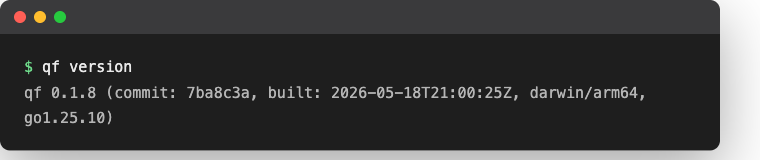
Confirm that qf is installed correctly:
qf versionYou should see output similar to:
qf 0.1.13 (commit: 7ba8c3a, built: 2026-08-14T21:00:25Z, darwin/arm64, go1.25.10)Here's what that looks like in a terminal:
Upgrading
- Homebrew: Run
brew upgrade qualflare/tap/qf - npm: Run
npm install -g @qualflare/cli@latest - Docker: Pull the latest tag, or use
:latest/ omit the tag on GHCR - Binary: Download the latest release and replace the existing binary
Uninstalling
- Homebrew:
brew uninstall qualflare/tap/qf - npm:
npm uninstall -g @qualflare/cli - Docker:
docker rmi ghcr.io/qualflare/qf(or the Docker Hub equivalent) — no separate uninstall needed if you only ever ran it viadocker run - Binary: Delete the
qfbinary from wherever you moved it (e.g.sudo rm /usr/local/bin/qf)
Your saved login credentials (~/.config/qualflare/config.toml on Linux, ~/Library/Application Support/qualflare/config.toml on macOS) aren't removed by any of the above — delete that file too if you want a clean slate.
Troubleshooting
If qf: command not found after installing the binary directly (not via Homebrew/npm/Docker), the binary's directory likely isn't on your PATH — see Troubleshooting: Command Not Found for the fix.
Next Steps
After installing qf:
- Learn about the collect command
- Explore other commands
- Set up CI/CD integration
Qualflare CLI Tool - Upload & Query Test Results
Upload test results from 27 frameworks with the Qualflare CLI. Query suites, cases, plans, launches, and defects — supports JUnit, pytest, Jest, and more.
Collect Test Results - JUnit, Pytest, Jest, Playwright
Collect and upload test results to Qualflare with the qf collect command. Supports 27 frameworks including JUnit, pytest, Jest, Playwright, Cypress, and more.